The Montreal Metro PCB design files can be found on my Github.
After finishing the Vancouver SkyTrain PCB v3 I wanted to see if I could reuse the same tools to make a map for a different city. The Vancouver v3 board is generated from a data file instead of being drawn by hand, so in theory a new city should only need a new data file. I picked Montreal to test this.
The boards were sent to JLCPCB for manufacturing on October 18th, 2026.
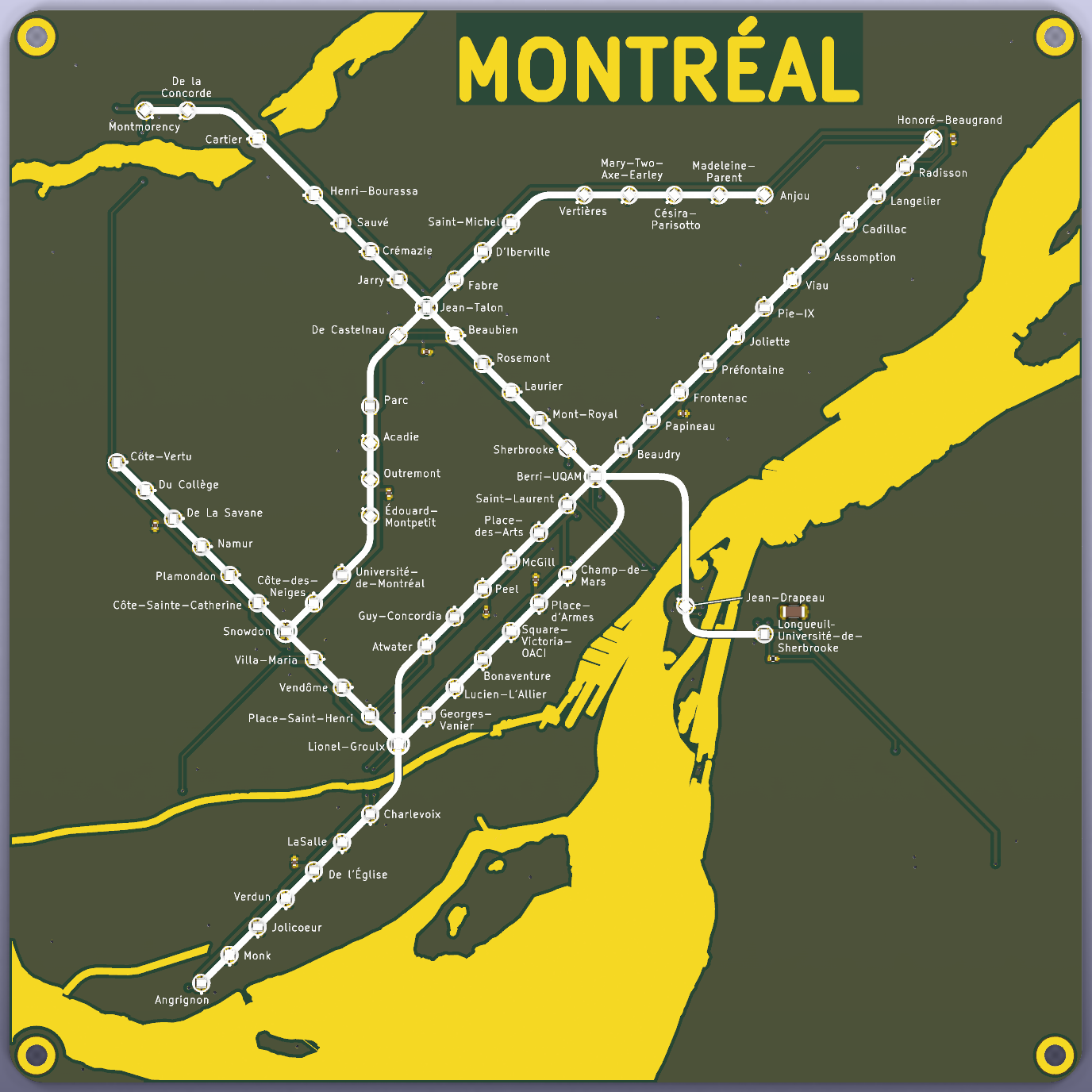
The board is 160 mm by 160 mm with 73 WS2812B LEDs, one for each station. It has all four Metro lines and the Blue line extension to Anjou. The Blue line extension isn't open yet, but I expect it will be open before these boards stop being used, so I included it.
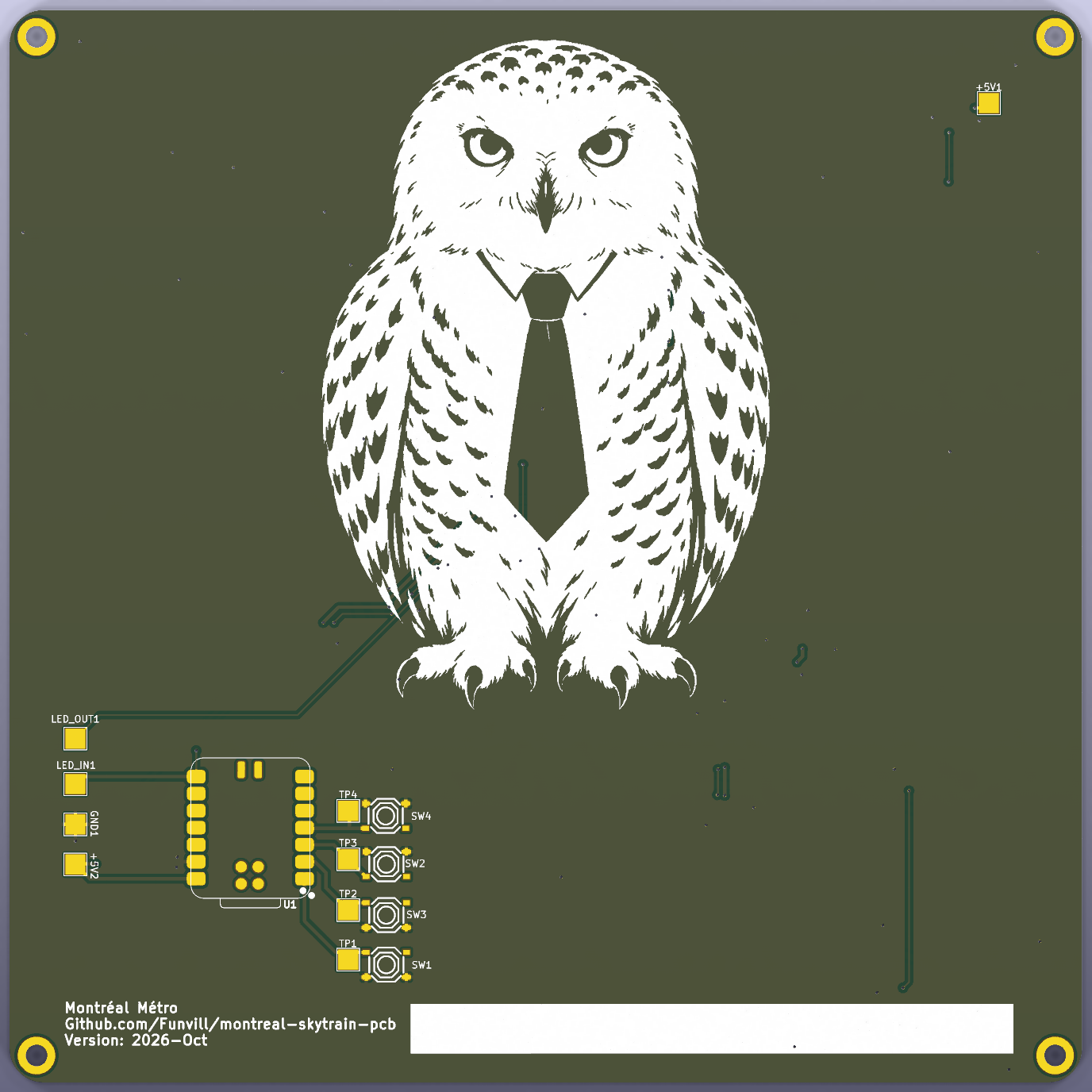
The water is exposed copper with an ENIG finish so it should come out gold. The train lines and the station labels are white silkscreen. A Seeed XIAO RP2040 on the back of the board controls the LEDs. There is a snowy owl wearing a tie on the back of the board.
I used Claude Code to write most of the code for this project. I picked the styles, marked up screenshots of what I wanted changed, and routed the PCB by hand.
What went right
- The tools from the Vancouver map worked for Montreal. The station locations and the water came from OpenStreetMap, and the same Python scripts placed the LEDs, the water, the train lines, and the labels in KiCad. I had a first preview of the map in a few days.
- I moved a lot of the station labels by hand in KiCad. A script imports these changes back into the data file, so rebuilding the map doesn't undo them. On the Vancouver map a rebuild wiped out a bunch of my hand edits, so I was happy this worked.
- Marking up screenshots was the fastest way to review the map. Circle a label, write "move this up", and send it.
- Everything that JLCPCB assembles is on the top of the board. The XIAO and the buttons I will solder myself.
- I added a 330 ohm resistor on the LED data line, and a 100 µF capacitor where the power comes in. These are cheap parts, and I have forgotten them on other boards.
What was hard
Picking a style
The first version used the same style as the Vancouver map. A natural map that is 2 times wider than it is tall, 200 mm wide, with the stations in their real locations. Downtown Montreal has three lines crossing in a small area, and there wasn't enough room for the labels.
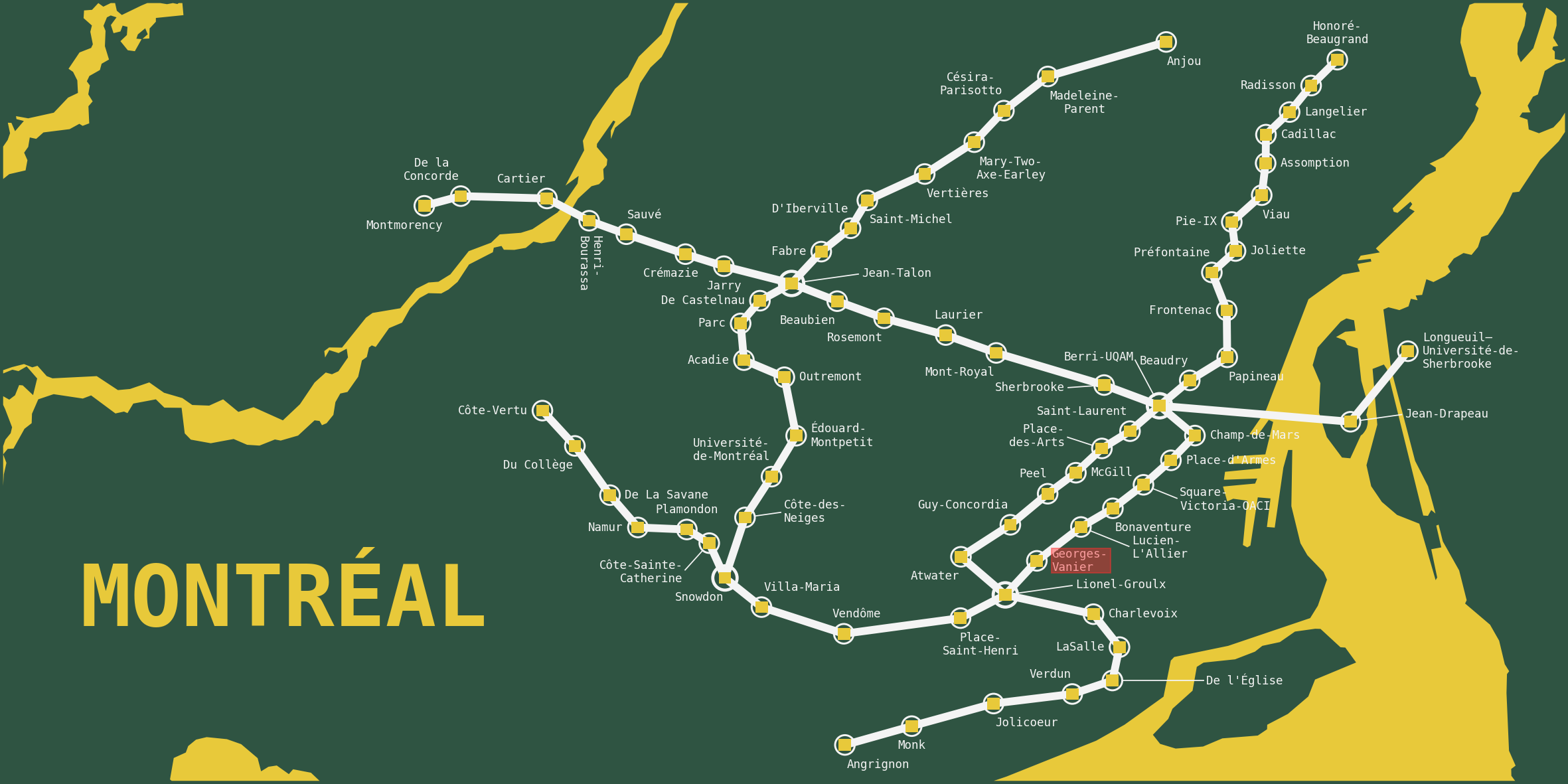
I tried a version that looked like the official STM map with straight lines and 45 degree bends. Then straight lines with rounded corners on top of the real land. I ended up with a square board, straight lines, rounded corners, and the land at its real shape. I changed my mind a lot. Each style was kept as a separate option so I could switch back and forth between them.
The land looked stretched
When the train lines are straightened out, the stations move away from their real locations. The first versions stretched the land to match the stations, and it looked wrong. The fix was to only allow the land to move, rotate, and scale as one piece, and line it up with the stations near the water. The stations end up a little further from the shore than they really are, but the land looks like Montreal.
Station labels
73 labels on a 160 mm board is a lot. The first version from the label tool didn't have any overlaps, but the labels were at weird angles and there were too many lines connecting labels to their stations.
I started with the general rule for map labels: put the label to the upper right of the station, then lower right, upper left, and so on. Then I moved a lot of them by hand. Afterwards I had Claude look at what I had changed and turn it into rules. Put the label beside the station and at the same height. Keep it close. Keep labels on the same side for a run of stations. Wrap the name onto two lines instead of letting it cross the water. These are now the defaults for the label tool, so the next map should need less hand editing.
I used the official station names with the hyphens. Mary-Two-Axe-Earley is three lines long.
Ground
I routed the PCB by hand and then had Claude review it. Most of the map would not have lit up. The exposed copper water cuts the ground plane on the front of the board into islands. Some of these islands had LED ground pads on them but no via to the ground plane on the back. One of these was under Jean-Drapeau, the second LED in the chain. If one LED near the start of the chain doesn't work, none of the LEDs after it work either.
The ground pin on the XIAO also wasn't connected. The pins are too close together for the ground plane to fit between them, so it needs its own trace.
The board looked finished in the screenshot. Running the KiCad design rule check after refilling the zones found these problems. Design flaw, caught before ordering.
Silkscreen over the water
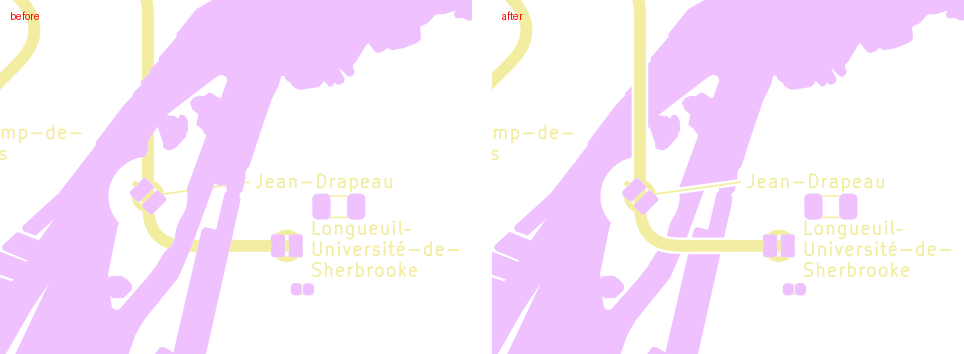
I found this one in the JLCPCB gerber viewer after I uploaded the files. The yellow line to Jean-Drapeau and Longueuil stopped where it crossed the water, and the Jean-Drapeau station ring was missing.
Silkscreen can't be printed where there is no solder mask, and the exposed copper water has no solder mask. JLCPCB removes the silkscreen in those areas. The KiCad 3D render still shows the silkscreen, so it looked fine in every render I had checked. The fix was to add solder mask back over the copper under the silkscreen, with a small gap around it.
Parts
I wanted a large capacitor where the power comes in. JLCPCB doesn't have a 100 µF to 470 µF electrolytic capacitor in their basic parts library. I used a 100 µF ceramic capacitor instead. The other basic part option was a 6.3 V tantalum capacitor, and I didn't want a tantalum capacitor that close to its voltage limit on a 5 V USB supply.
JLCPCB
The day after I ordered, JLCPCB sent an email asking me to check the LED polarity on their placement image. Each LED has its VDD pin marked in red. All 73 LEDs had VDD on the +5V pad, so I told them to go ahead.
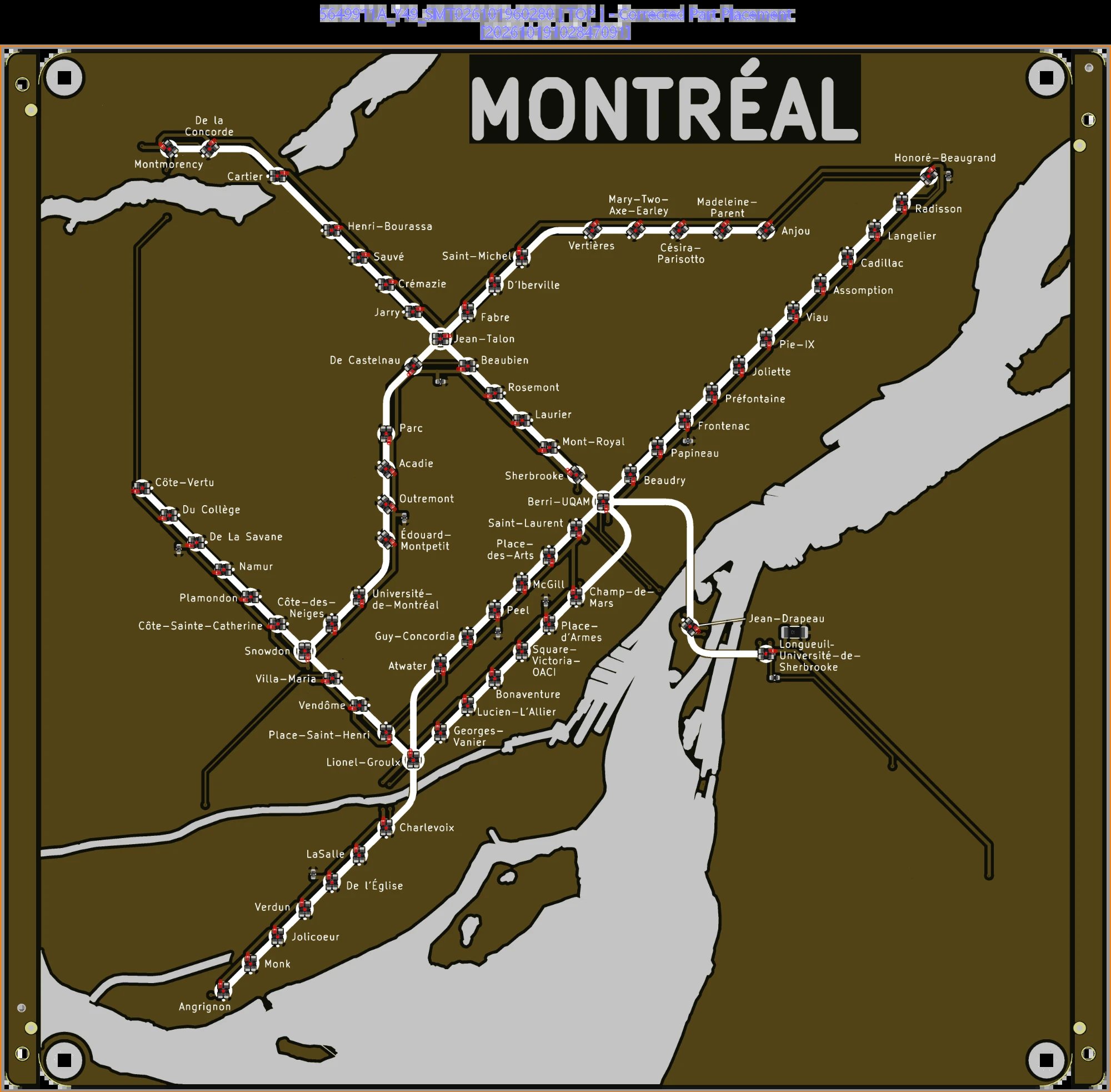
What to change in the next version
The USB-C connector on the XIAO is 26 mm from the edge of the board. The cable plugs into the middle of the back, which will make it hard to hang on a wall. Design flaw.
The capacitors next to the LEDs say 10 µF in the schematic, but the part is a 1 µF capacitor. It works, but the label is wrong. Design flaw.
Next
The next map is Tokyo. The Tokyo Metro has about 180 stations, and about 285 if you include the Toei lines. That is a much bigger board, or much smaller spacing between the LEDs.
I wrote down what I learned from this map in a lessons learned document, with a checklist to go through before ordering. Most of the checklist is from mistakes I made on this map.